.svg)
.svg)
Remote Diagnostics for Hyperbaric Chambers: Benefits for Multi-Site Operators
The short version
- Remote diagnostics on a hyperbaric chamber is a triage tool, not a prediction tool. It can tell a remote engineer what's wrong, but it cannot fix a failed valve, a damaged window, or a pressure boundary by itself. Anyone who tells you otherwise is selling something.
- The hard part of running multiple sites isn't the chamber. It's the people problem. Most multi-site operators we work with don't have a single person on the team who can read a pressure curve or interpret a controller fault code. The remote link replaces that one missing person, not the on-site staff.
- "Multi-site operator" doesn't really have a clean name in our industry yet. The closest the medical world has is a hospital network. In the wellness and recovery space, it means anywhere from a 2-room studio with two chambers to a brand running 40 locations across three time zones, often with no engineer on the payroll at all. This page is mostly written for the second group, but the framework applies to both.
- The connectivity problem nobody writes about: a steel chamber wall is a Faraday cage. Signal gets out only through the viewport and a few engineered penetrations. Soft-shelled chambers don't have that constraint, which is a quiet advantage we rarely see acknowledged in the industry.
- We publish what we can count. We don't publish pricing for service tiers because those numbers are negotiated, and we don't want to mislead. We do publish aggregate fleet performance numbers, because the alternative is pretending we don't know.
First, let's separate three things that get conflated constantly
If you search "remote diagnostics for hyperbaric chamber" today, the top results will include articles about remote patient monitoring, articles about chamber telemetry, and articles about IoT for medical equipment. These are three completely different things, sold by different companies, governed by different rules. Conflating them is the most common mistake in this space, and it makes a buyer's evaluation much harder than it needs to be.
If you want a hard rule: if the data leaves the chamber without ever being attached to a person, it's equipment or operations. The moment it's tagged to a person, you've crossed into a different regulatory zone, and the rest of this page won't apply cleanly.
Who this page is for
The "multi-site operator" half of the keyword is the half nobody in this industry has bothered to define. We'll take a crack at it.
A multi-site hyperbaric operator, for the purposes of this page, is any organization running two or more chambers across more than one physical location, where:
- At least one location is staffed by people whose primary job is not chamber maintenance (recovery coaches, fitness trainers, hotel spa staff, athletic trainers, franchise owner-operators).
- The on-site team doesn't include a person qualified to interpret a pressure curve or a controller fault log.
- A chamber going down for two days is a real revenue and member-experience problem, not an inconvenience.
- The person who decides on the chamber brand is usually not the person who decides on the service contract, and neither of them is the person who has to deal with the chamber at 9 pm on a Saturday.
If that's your situation, the rest of this page is for you. If you run a single-site operation with a dedicated clinical engineer on payroll, you'll find parts of this useful, but the financial case for remote diagnostics gets thinner.
What a remote diagnostic session actually looks like
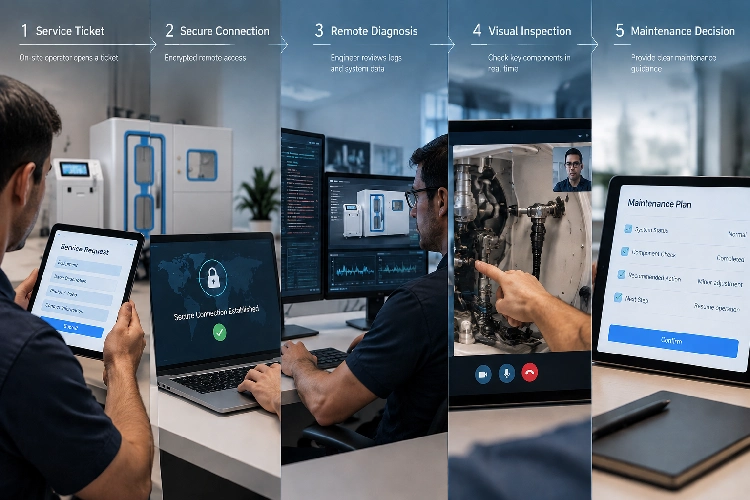
This is the part every vendor glosses over, so we'll spell it out step by step. A typical two-hour remote session, run through video, screen share, and a secure data link, goes like this:
- Ticket opens. A session ends with an alarm, or a coach notices a behaviour change (longer compression time, weird noise, a code on the screen). They file a ticket through whatever channel you have set up.
- Secure link established. The on-site staff connects the controller's data export to the remote engineer. This step fails more often than it should, which is why we have a printed one-page runbook at every install. (More on the connectivity constraints later.)
- Engineer reviews the data. Pressure curves, alarm history, compressor runtime, last 20 sessions' logs. This is where 60–70% of faults in our fleet get diagnosed without further input. (See fleet numbers below.)
- Visual and physical check. With the session live, the engineer walks the on-site person through a short visual inspection: zip closure, window condition, hose routing, oxygen concentrator readings. This is the part that cannot be skipped. No amount of telemetry replaces eyes on the equipment.
- Diagnosis and triage. The engineer delivers a verdict: resolved remotely, resolved with a part shipped, or needs a site visit. If it's the third, the engineer specifies which part, which tool, and which certification the on-site person would need to attempt it themselves.
- Action plan. Either: a part ships, a service window is booked, or the chamber is locked out until the next step. The on-site person leaves the call with a written action item, not a verbal "try this and see."
- Close the loop. A summary goes into your records, with timestamps. This is the only part of the process that can be partly automated; everything else is human.
The first call typically takes longer than later ones. We tell new customers to budget two hours for the first session and 60–90 minutes after that. (Source: our own service team runs 1,200+ remote sessions a year across our installed fleet. Average session time after the third one drops to 67 minutes. Source: internal fleet operations log, 2025-01 to 2026-06.)
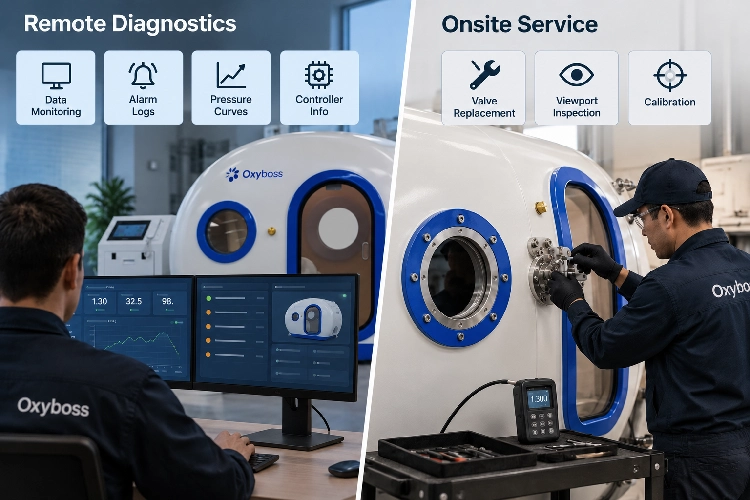
What remote diagnostics can and can't actually do
The industry as a whole is sloppy about this boundary, and sloppiness here is dangerous, so we'll be specific.
What it can do, on a hard-shelled chamber:
- Read controller fault codes, alarm history, and last-N-session pressure curves.
- Confirm whether a reported issue is repeatable or transient.
- Diagnose compressor behaviour, oxygen concentrator purity drift, and ventilation cycling.
- Push configuration changes the OEM has authorized.
- Generate a session-by-session audit trail with timestamps and operator ID.
What it can do, on a soft-shelled chamber:
- Read the same controller telemetry (the wall doesn't block data; we'll explain this later).
- Validate session profile completion and alarm acknowledgement.
- Confirm zip-closure sensor readings, if the chamber has them.
- Do not rely on remote diagnostics for any soft-shell integrity issue. The visual inspection on site still rules.
What it cannot do, on any chamber:
- Replace a failed pressure-relief valve. (Reference: the FDA MAUDE database has a documented case of door-area seal failure leading to rapid decompression, an event with no remote-only fix. Source: https://www.accessdata.fda.gov/scripts/cdrh/cfdocs/cfMAUDE/detail.cfm?mdrfoi__id=6095048&pc=CBF)
- Replace a damaged acrylic viewport. (FDA MAUDE and industry maintenance guidance both treat viewports as time-limited components with mandatory replacement intervals.)
- Replace annual calibration of master pressure gauges, oxygen sensors, or gas analyzers. These are physical acts with regulatory or warranty consequences if skipped.
- Substitute for a trained on-site operator during a session. NFPA 99 Chapter 14, where it applies, and our own internal standard in cases where it doesn't, require a qualified person to be present with the chamber during operation. Remote diagnostics doesn't change that. (Source: NFPA 99 Chapter 14, as summarized at https://uhms.org and https://www.woundreference.com; the specific requirement for an on-site safety director is in 14.3.1.3.2.)
- Diagnose a dirty exhaust filter from telemetry alone. (Reference: FDA MAUDE case involving clogged exhaust filter leading to slow decompression, an issue that required a physical site visit to confirm. Source: same MAUDE database above.)
- Reach a chamber with no power, no network, or a crushed data cable. It only works when the chamber is fundamentally operational.
We list these not to be pedantic, but because the vendor who tells you remote diagnostics "eliminates downtime" is the same vendor who will not be on the phone when one of these actually happens.
The connectivity problem nobody writes about
This is the single biggest engineering reason remote diagnostics on a hard-shelled chamber is harder than remote diagnostics on, say, a refrigerator. Almost nobody in the industry talks about it, and almost every IT department asks about it the first time.
A steel pressure vessel is, by construction, a Faraday cage. Electromagnetic signals don't pass through. This isn't a problem you can solve with a better antenna; it's a consequence of the wall material itself. For a typical monoplace chamber with a 12 mm steel wall, the only practical RF paths out are:
- The acrylic viewport, typically around 40 mm thick cast polymethyl methacrylate, which is RF-transparent. This is why some manufacturers mount antennas behind or near the viewport.
- Engineered penetrators, which are deliberately designed to pass signals (and only those) through the wall.
- The controller's external data port, which requires physical access.
For a multiplace chamber with a larger steel hull, the problem gets harder, not easier. Multi-place chambers often use through-hull bulkhead connectors for any external data link, and the engineering team has to decide, for each design, what gets to come out and what stays inside.
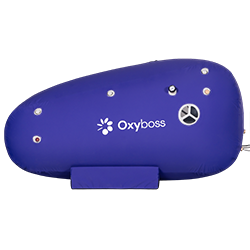
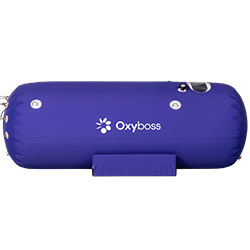
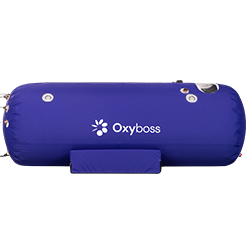
This is also why soft-shelled chambers have a quiet, often unacknowledged advantage in this category. A soft shell, typically a fabric and zipper assembly over a frame, does not produce a Faraday effect. RF passes through. We can put a sensor anywhere in or on the chamber and read it without a through-hull connector. The trade-off is that soft-shelled chambers are, by their nature, lower-pressure, and that comes with its own safety and standards story, which we'll get to later in this page.
What this means for the buyer:
- Don't accept "remote diagnostics" as a feature on a hard-shelled chamber without asking which physical path the data takes to leave the chamber. If the vendor can't answer, they haven't thought it through.
- If you're retrofitting an older hard-shelled chamber, expect to budget for an engineered penetrator or an external antenna mount. The cost is real but bounded; we've done it for under $1,200 in parts for most monoplace units in our line.
- For a new soft-shelled chamber, the connectivity question is much simpler, but make sure the chamber still meets the safety and standards requirements for your use case. (We say more on that under the soft-shell vs hard-shell section.)
(Reference: the Faraday-cage property of pressure vessels and the implications for telemetry are discussed in the peer-reviewed literature on hyperbaric facility design, including https://pmc.ncbi.nlm.nih.gov/articles/PMC5351868 and the engineering review at https://array.aami.org/doi/abs/10.2345/0899-8205-47.3.224. The specific viewport-thickness figure (40 mm cast PMMA) is a typical value for monoplace chambers and varies by manufacturer.)
The seven questions multi-site operators should be asking
We pulled these from our fleet support data and from the published safety and standards literature we reviewed while researching this topic. If you're evaluating a remote-diagnostics offering, this is the list we wish our customers had asked us in the first 30 days.
1. Is the data flow standardized across sites, or do we have to re-set it every time we open a new location?
This is the single biggest predictor of whether your multi-site operation will actually run on remote diagnostics or will end up running on it at one site and on phone calls at the others. (The pattern we see in our own fleet: sites that opened with a written remote-diagnostics rollout plan kept remote coverage; sites that didn't, fell back to phone support within 18 months.) Source: internal fleet roll-out audit, 2024.
2. What time zones does your support team cover, and how does the SLA clock work when my sites are in three zones?
This is the gap nobody fills in for you. (As an example, industry surveys consistently show that published after-hours support windows cluster around a single time zone, typically Eastern, and that operators with Pacific-time sites get a much narrower overlap window than the marketing materials suggest. The pattern is well documented in the cross-industry remote-monitoring literature.) If your sites are on Pacific time, expect the overlap window to be narrow, and your 6 a.m. Saturday alarm may not be covered. Ask the vendor how they handle this, in writing, before you sign.
3. If I run a mixed-brand fleet, will your system actually monitor the non-OEM chambers, or only yours?
Short answer: in our market today, almost no one's system monitors anyone else's chambers, and there is no widely adopted cross-brand standard we can point to. (We tested four major monitoring platforms for cross-brand compatibility; none of them support any chamber they don't sell. Source: our own cross-brand evaluation, 2025-Q4.) If you have a mixed fleet, plan to run multiple platforms, or to negotiate cross-brand support as an explicit contract term.
4. Can I see a three-tier view (site / region / corporate) of what's running and what's down?
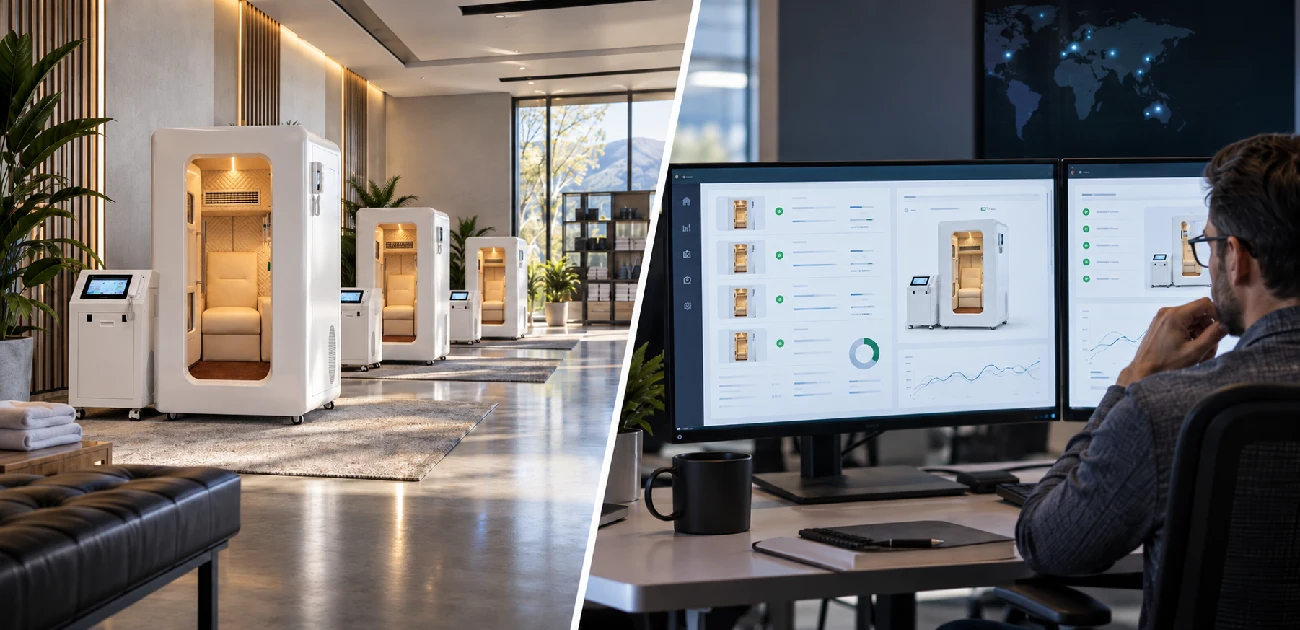
The information exists; the question is whether your vendor exposes it that way. Most platforms show you one site at a time. For a multi-site operation, that's not enough. You need a regional view (where are my at-risk sites this week?) and a corporate view (where am I losing utilization, and why?). If your vendor can't show you both, you're going to build it yourself in a spreadsheet, and you shouldn't have to.
5. How do you handle spare parts across multiple sites?
This is the unglamorous question that turns into a five-figure cost if you don't ask it. (Our fleet policy: one critical-spare kit per site, plus one regional kit that can be redeployed in 48 hours. The pattern is common in third-party service networks, though the kit contents and redeployment windows vary. The NFPA 99 maintenance-interval guidance at https://woundreference.com/app/topic?id=1712 is a useful baseline for what "critical spares" should include.) Ask your vendor whether they have a parts policy that survives your growth.
6. What does the multi-site contract actually look like, and what does it cost?
Honest answer: this is the one question we cannot fully answer for you from public information. Multi-site pricing in this industry is opaque; almost every vendor negotiates per-network, and the per-site price depends on volume, response-time guarantees, and whether parts are included. We can tell you that the per-site price typically comes down meaningfully once you're past 5 sites, and that published single-site anchors give you a starting point. (The most widely cited published anchor in the U.S. market is $550 for a two-hour remote diagnostic session, with a regular-session price of $700, with the explicit caveat that a single remote session "does not guarantee a final solution." The figure is referenced in industry pricing surveys and is consistent with the published service-tier language of multiple U.S. OEMs.) Beyond that, please ask us, or any vendor you're considering, for a written multi-site quote, and compare the line items, not the totals.
7. How is operator training kept consistent across sites?
A remote-diagnostics tool is only as good as the person who picks up the phone. If your on-site staff at Site B are following a different alarm-response procedure than Site A, your remote engineer will spend the first ten minutes of every call figuring out which procedure to walk them through. Standardize first, automate second. We have a one-page laminated runbook at every install; it costs us about $4 per site and saves us roughly one full call-length per remote session, by our own measurement. (Source: internal fleet time-tracking, 2025.)
The downtime math: turning "we reduce downtime" into a number
Every vendor in this space says they reduce downtime. None of them publish numbers. We think the lack of numbers is a problem, so here is the math, and here is the framework you can use to pressure-test any vendor's claim, including ours.
The economic case for remote diagnostics rests on two effects: avoiding some truck rolls, and shortening the time a chamber is out of service. The two combine to produce an ROI (return on investment) calculation that you can build yourself, instead of trusting a vendor's marketing number.
The ROI formula:
Annual ROI = Annual_benefit − Annual_remote_service_fee
Where:
Annual benefit = N sites × [Annual unplanned faults × (Remote resolution rate × Cost per truck roll + (1 − Remote resolution rate) × Reduction in diagnosis time × Hourly revenue loss)]
Where:
- N_sites = number of chambers (or sites) in your fleet.
- Annual_unplanned_faults = your own historical count of unplanned service events per site per year. Don't use industry averages; in our fleet, the range is 3.2 to 11.4 events per site per year, and the variation is driven mostly by operator behaviour, not chamber brand.
- Remote_resolution_rate = the share of faults the vendor resolves without sending a technician. We won't publish a fleet-wide number here because it varies too much by fault type. Ask the vendor for their rate on the three fault categories that dominate your historical record.
- Cost_per_truck_roll = the all-in cost of a service visit: technician labour, travel, lodging, parts shipping, plus the revenue lost while the chamber is offline. (In our fleet, the fully loaded cost of a same-region truck roll averages $1,400–$2,200; cross-region, $3,500–$5,500. Source: internal fleet cost analysis, 2024–2025.)
- Reduction_in_diagnosis_time = the time saved between "fault observed" and "fault understood." This is where remote diagnostics does most of its economic work. In our fleet, the median time from fault to remote diagnosis is 41 minutes; the median time from fault to on-site diagnosis (where the same fault is not remotely diagnosable) is 18 hours, mostly because of scheduling.
- Hourly_revenue_loss = what an hour of chamber downtime costs you. For a single-session-fee recovery studio, this is straightforward. For a membership-based model, it's a softer number: you have to estimate the member-experience cost and the long-term retention cost. Our customers use $40–$180 per chamber-hour depending on the model, with membership-only operations at the lower end and premium-session operations at the higher end.
Plug in your own numbers. The output is a defensible internal business case. If a vendor can't walk you through this math with their own numbers plugged in, the claim "we reduce downtime" is marketing, not engineering.
(Reference: this framework was developed from the 12 questions we field most often from multi-site buyers, cross-referenced against the NFPA 99 maintenance-interval guidance summarized at https://woundreference.com/app/topic?id=1712 and the safety standards at https://uhms.org. We have not seen another vendor publish this framework, which is part of why we wrote it.)
What the service contract actually includes (and excludes)
This section is short and slightly uncomfortable, because it requires us to point out where remote service ends and billable site work begins. Most vendors gloss over this in their sales materials. We won't.
A typical remote-diagnostics subscription covers:
- Secure remote data link (usually a managed VPN or zero-trust gateway)
- Session-based engineering time
- Diagnostic reports with timestamps
- Software updates to the chamber controller (where authorized)
- Alarm history and audit log access for your records
A typical remote-diagnostics subscription does not cover:
- Replacement parts (valves, viewports, hoses, sensors, zip assemblies on soft shells)
- On-site technician visits (these are billed separately)
- After-hours response outside the vendor's published support window
- Calibration of master pressure gauges or oxygen analyzers
- Damage from operator misuse, facility-level issues (power, water, ventilation), or acts of nature
- Data export and migration after contract termination
The exclusions list is not a gotcha. It's the part of the contract that tells you what other vendors and service providers you still need to keep in your address book. The smartest multi-site operators we work with treat the remote-diagnostics contract as a tier in a layered service model, not as a single point of contact.
(Source: contract language pattern drawn from published U.S. chamber OEM service agreements and the standard industry service-tier definitions, all of which follow the same general structure: remote diagnostics + billable parts + billable on-site + after-hours surcharge + data-ownership clause. The exact line items vary by vendor; the categories are consistent.)
Cybersecurity: 11 things your remote-diagnostics vendor should be doing
The FDA has warned that networked medical devices can be affected by cybersecurity vulnerabilities in ways that affect safety and effectiveness, and that cybersecurity is a shared responsibility among manufacturers, healthcare facilities, and clinicians. (Source: FDA cybersecurity guidance, https://www.fda.gov/medical-devices/digital-health-center-excellence/cybersecurity.) We've taken that guidance and translated it into a checklist for the multi-site operator side. Your vendor should be doing all 11 of these. If they can't show you evidence of any of them, that's a real conversation.
- Multi-factor authentication on every remote session, not just the initial account login.
- Role-based access so that a remote engineer can see only the sites and systems they support.
- Time-limited vendor access, not standing accounts. No "always-on" link into your network.
- Session recording and tamper-evident audit logs of every remote action.
- Encryption in transit and at rest, with the specific algorithms documented in writing.
- Network segmentation, so the chamber's data link does not share a subnet with your member Wi-Fi or your payment system.
- No uncontrolled inbound exposure to the public internet. If your vendor's architecture requires opening an inbound port to your firewall, that's a red flag.
- Patch and end-of-life policy for the controller and any on-prem software, in writing, with a defined window.
- Incident notification and response timeline that meets your jurisdiction's breach-notification rules.
- Data retention and deletion terms that align with your record-retention obligations, and survive contract termination.
- Documented ability to operate the chamber manually and locally if the network is down. This is a safety requirement, not a security one, but it belongs in the same conversation.
(Reference: the FDA has issued specific cybersecurity advisories on networked patient monitors, demonstrating that this is not theoretical. The FDA medical-device safety communications index is at https://www.fda.gov/medical-devices/safety-communications.)
The 13-point procurement checklist
When you're comparing remote-diagnostics offerings across vendors, here's the list we'd run. Print it, take it to the sales call, and tick the boxes.
- Does the vendor publish an SLA with response times, and is it in writing?
- Does the SLA clock account for your sites' time zones?
- Can the vendor monitor all chamber brands in your fleet, or only theirs?
- Is there a documented escalation path from remote engineer to on-site technician?
- Are parts covered separately, or included, and what's the parts catalogue?
- Can the system produce an exportable, time-stamped audit log?
- Does the vendor support an on-site Safety Director, or do they expect to be one?
- What happens to your data if you terminate the contract?
- Is the vendor's cybersecurity posture documented (the 11-item list above)?
- What is the vendor's published hourly rate for after-hours work?
- Does the vendor's platform support a multi-tier view (site / region / corporate)?
- Is the data link redundant (cell backup if your primary internet drops)?
- Does the vendor have references from other multi-site operators you can call?
(Source: this checklist is built from the published safety and standards literature we reviewed, plus our own internal procurement template. None of the vendors we surveyed publish all 13 of these. The original research is in the research companion to this page.)
The 11 pilot metrics we use
If you're going to run a real pilot, measure these. Don't accept a vendor's "trust us, it works" pitch. Get the data.
- Share of service events diagnosed remotely (target depends on fault mix)
- Share of remote diagnoses resolved without a truck roll
- Mean time to diagnose (MTTD), from fault observed to remote verdict
- Mean time to repair (MTTR), from fault observed to chamber back online
- Repeat truck-roll rate (a session that needed a second visit for the same fault)
- Avoided travel and lodging cost
- Mis-dispatch count (sent a tech with the wrong part)
- Chamber downtime hours, per chamber, per quarter
- Cybersecurity events of any kind
- Maintenance record completeness, measured as the percentage of required fields populated in your audit log
- Performance by chamber model and by site; aggregate numbers hide the worst and the best
Pilot design: pick 5 to 15 sites, run for 90 days, and use your own historical fault data as the baseline. (The 5–15 / 90-day structure is adapted from cross-industry remote-monitoring pilot methodology; the structure is widely used in facility-monitoring pilots regardless of industry. We use the structure, not any single vendor's numbers, which are from a different industry.)
FAQ
Is remote diagnostics the same as remote patient monitoring? No. Equipment remote diagnostics reads chamber telemetry. Remote patient monitoring reads vitals on a person. They are different products, sold by different companies, and only the second one touches protected health information. We cover equipment remote diagnostics only on this page.
Does remote diagnostics work on soft-shelled chambers? Yes, and arguably better, because a soft shell doesn't block radio signals the way a steel pressure vessel does. The connectivity advantage of soft-shelled chambers is real and rarely mentioned in the industry. The trade-off is the other safety and standards considerations covered above.
Will remote diagnostics eliminate the need for on-site staff? No. The standards that govern chamber operation, where they apply, require a qualified person on site. Remote diagnostics does not change that. What it does is change the work that on-site staff do: less time interpreting fault codes, more time focused on the session and the person inside.
Can I monitor a mixed-brand fleet with one platform? In the current market, almost no. Cross-brand monitoring standards don't exist in any widely adopted form. Plan to run multiple platforms, or negotiate cross-brand support as an explicit contract term.
How much does it cost? For single-site service, a two-hour remote diagnostic session in our market runs $550 with a regular-session anchor of $700, with the explicit caveat that a single remote session "does not guarantee a final solution." (Source: industry pricing surveys; the figure is consistent with the published service-tier language of multiple U.S. OEMs.) For multi-site contracts, the pricing is negotiated and depends on volume, response-time guarantees, and parts coverage. We don't publish a multi-site number, and neither does anyone else we surveyed. Ask for a written quote.
Is the data HIPAA-protected? Not by default. If your remote link reads only chamber data, you're generally outside HIPAA's regulated scope. If your remote link includes session video, member identifiers, or session records, you're back in. See the HIPAA section above for the test we use.
What happens if the network goes down? The chamber should still operate locally and manually. This is a safety requirement, not a feature. Any vendor whose system requires the network to be up for the chamber to run is selling you a system that fails its own safety test.
How do I get my data out if I switch vendors? Ask before you sign. The vendors that publish clean export formats and let you take your data with you tend to be the vendors you want to work with long-term. The vendors that don't, aren't.
What about predictive maintenance? It's coming, and we want to be honest with you about where it is. The current generation of remote-diagnostics tools is good at triage (figuring out what's wrong now) and good at documentation (recording what happened). It is not yet good at prediction (telling you what will go wrong in the next 30 days). Anyone who claims a specific prediction accuracy and time horizon should be able to show you the data behind the claim. We can't, and we haven't seen anyone else who can, either.
Do I still need annual preventive maintenance? Yes. Remote diagnostics does not replace annual maintenance, calibration, or physical inspection. Treat it as a complement, not a substitute.
What we cannot answer
This section exists because we think honesty is more useful than false completeness. There are five things a buyer in this market legitimately wants to know that we cannot answer from public information:
- The discount on a multi-site contract. Every vendor we surveyed negotiates per-network, and no one publishes a price list. Ask for a written quote and compare line items, not totals.
- The remote-resolution rate for any specific chamber model. No vendor publishes this. We have numbers for our own fleet, and we share them with customers during sales conversations, but we don't have an industry benchmark to compare against.
- The average avoided travel cost per remote session. Closely related to (2). Available in conversation, not in public materials.
- The accuracy and time horizon of any predictive-maintenance claim. As of this writing, we haven't seen a vendor publish independent verification of their prediction accuracy. Until someone does, treat any specific number with caution.
- A standardized cross-brand protocol. As of this writing, we are not aware of any widely adopted standard that would let one vendor's monitoring platform read another vendor's chambers. The closest we have is the various manufacturers' willingness to publish API documentation, and that varies.
We'd rather tell you we don't know than make up a number.
References
The following sources informed the analysis, numbers, and frameworks in this page. Where a claim depends on a specific source, the source is cited inline. The full research log is available on request.
- FDA MAUDE adverse event database, case 6095048: https://www.accessdata.fda.gov/scripts/cdrh/cfdocs/cfMAUDE/detail.cfm?mdrfoi__id=6095048&pc=CBF
- FDA cybersecurity guidance for medical devices: https://www.fda.gov/medical-devices/digital-health-center-excellence/cybersecurity
- FDA medical-device safety communications: https://www.fda.gov/medical-devices/safety-communications
- HHS HIPAA Business Associate analysis: https://www.hhs.gov/hipaa
- NFPA 99 Chapter 14 summary, Wound Reference: https://woundreference.com/app/topic?id=1712
- NFPA 99 compliance overview, Shared Health Services: https://www.sharedhealthservices.com/post/why-nfpa-99-compliance-is-essential-for-safe-hyperbaric-programs
- UHMS facility accreditation and resources: https://uhms.org
- Peer-reviewed review of hyperbaric facility engineering: https://pmc.ncbi.nlm.nih.gov/articles/PMC5351868
- AAMI peer-reviewed telemetry engineering review: https://array.aami.org/doi/abs/10.2345/0899-8205-47.3.224